On every platform
Track your workouts, nutrition, timers, routines, body weight and mood in one app.
A personal project I'd like to share with others. Use it in your browser or install it on your phone. It works offline, and when you sign in it backs up to the cloud.
Free to use · No account needed · Works offline
Who is this for?
Different people use IronScript in different ways. Tap who you are to see how.
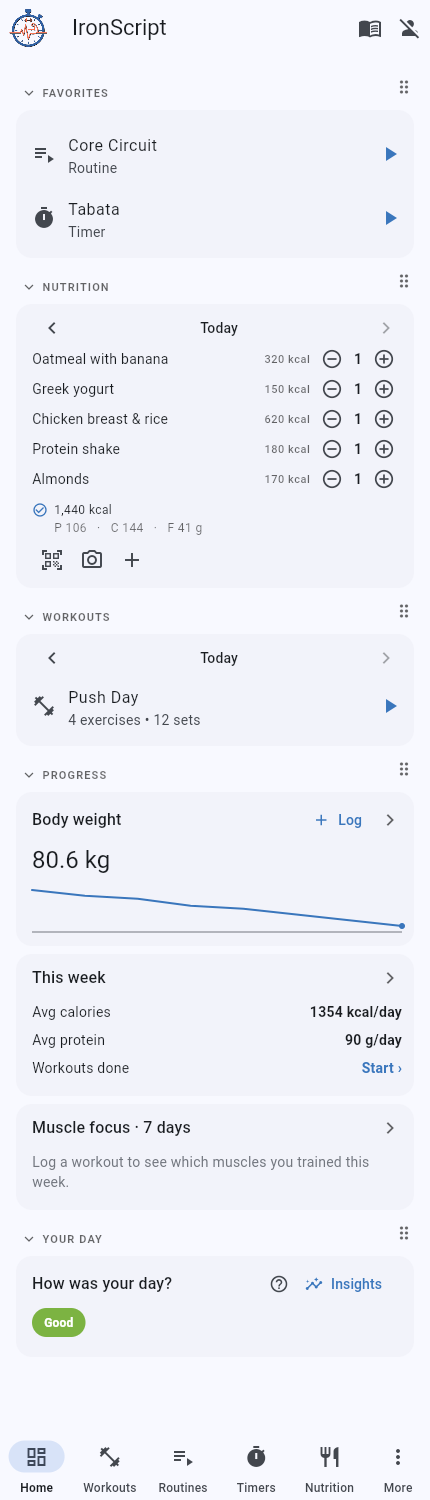
For anyone tracking their own training. Log workouts, routines and interval timers, and track nutrition, body weight and mood. An optional AI coach can summarise it. Everything works offline, and your data stays on your device by default.
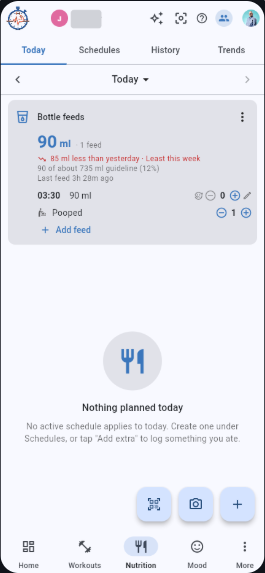 Track bottle feeds with your partner. Log every bottle with the amount and time, add a note, and see today against yesterday plus a weekly trend. Share your baby with your partner so you both log feeds from your own phone, always in sync. See The Crew.
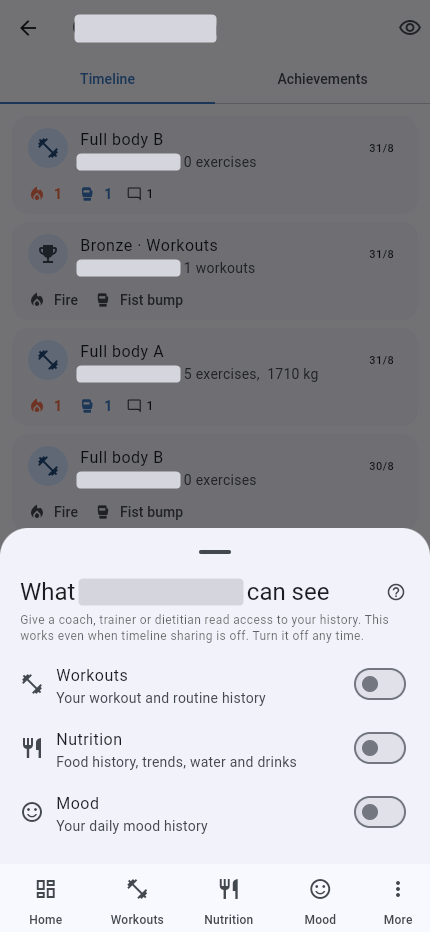 Read access to client data. A client can give you read access to their workouts, nutrition or mood, set per person and per category. There is no shared feed. See Coach access.
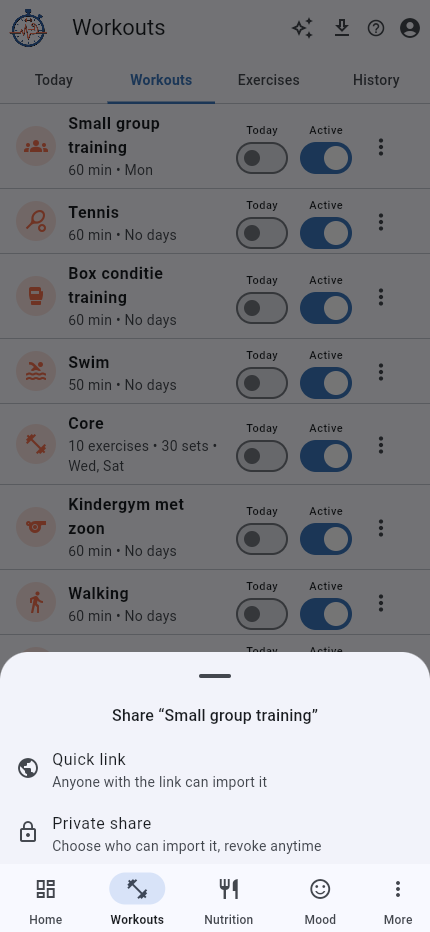 Build and share plans. Design workouts and routines and share them with a client. They can give you read access to their sessions so you can adjust the next block. See Coach access.
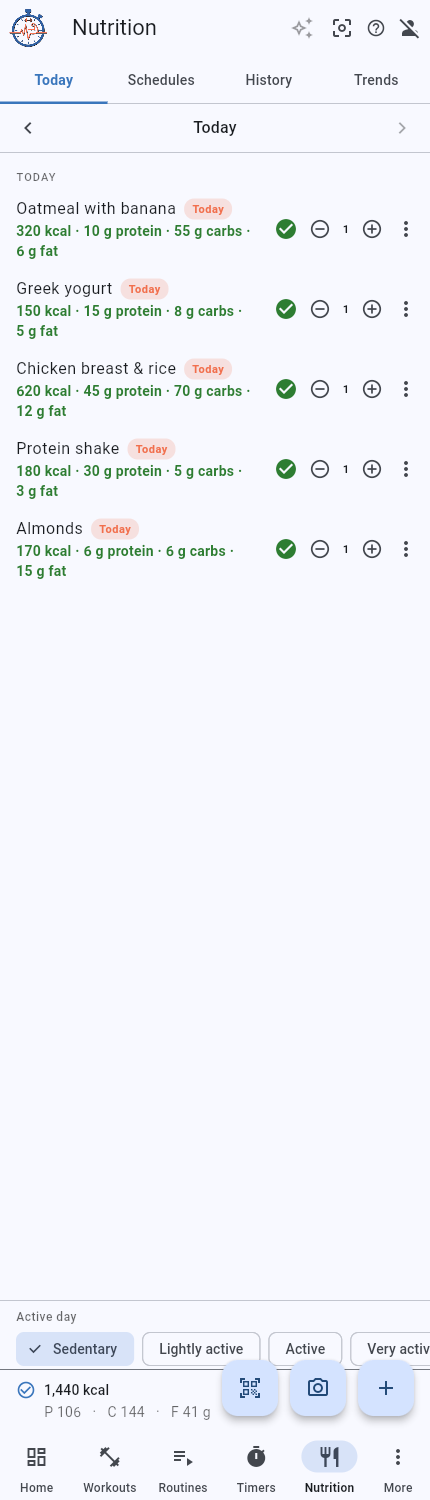 Read access to client nutrition. A client can give you read access to just their nutrition, so you see their meals, macros and calorie goal. See Coach access.
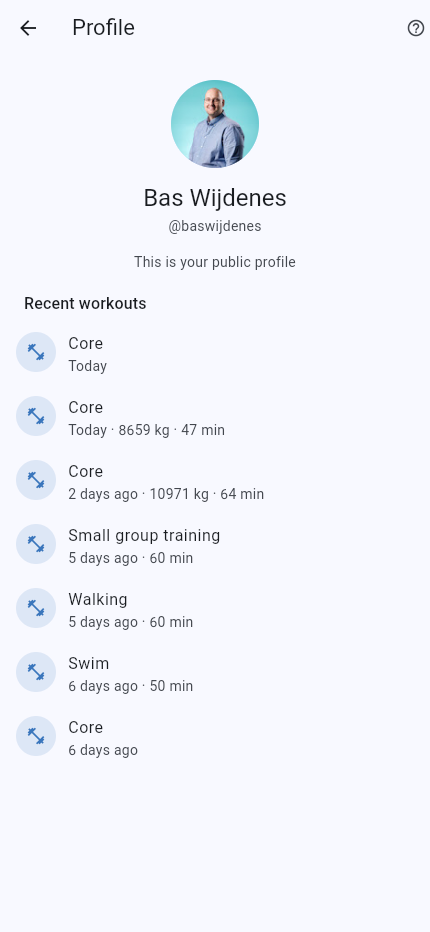 A public profile. Turn on a public profile at your own @handle so people can find and follow you. Your shared workouts show for your followers. Your logs stay private unless you choose to share them. See Public profile.
Pricing
Free
€0Track your training, food, mood and progress at no cost. New accounts start with a 90 day trial of full access.
- All workouts, routines and interval timers
- Nutrition, body weight and mood logging
- Home dashboard and weekly summary
- Sign in to back up online, or stay fully offline
- Recent history and a monthly AI allowance
Pro
€3 / monthAn optional subscription that supports the app. A yearly plan of €30 works out cheaper. Cancel any time, and early supporters keep their price.
- All workouts, routines and interval timers
- Nutrition, body weight and mood logging
- Home dashboard and weekly summary
- Sign in to back up online, or stay fully offline
- Recent history and a monthly AI allowance
- Sync across all your devices
- Unlimited AI recaps, programs and estimates
- Full history and deep analytics
- Full data export
Open Settings, then IronScript Pro to see your current plan, how many trial days are left, and to subscribe.
What it does
Strength training
Log workouts with your last weights and reps already filled in, and tap each set as done. A rest timer counts down between sets, and it keeps your best result and a trend for every exercise.
Docs with screenshots ›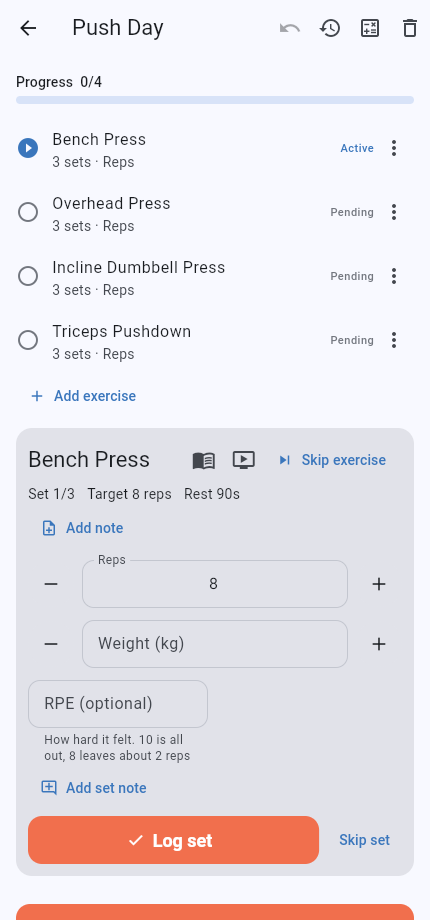
Guided routines
Build routines you can follow at home. The app plays through the exercises in order, counts down timed ones and waits for reps, and talks you through it so you do not touch the screen.
Docs with screenshots ›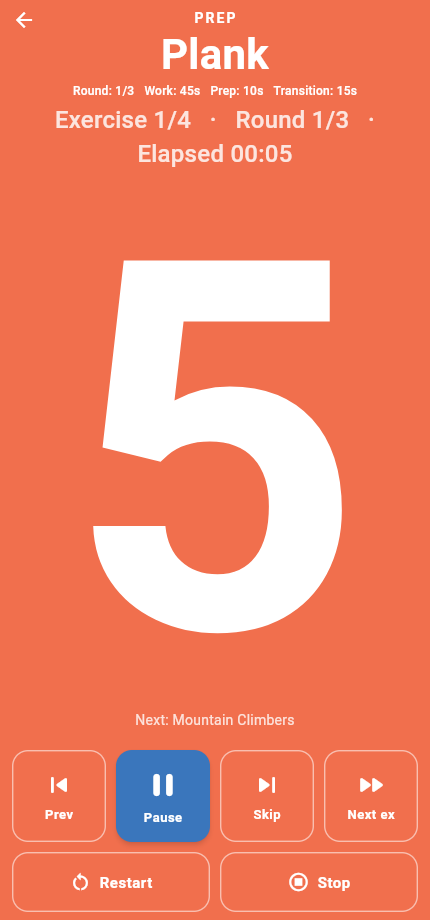
Interval timers
Set up circuits with work and rest, then go by the colour and the spoken cue each round. The screen stays awake while you move.
Docs with screenshots ›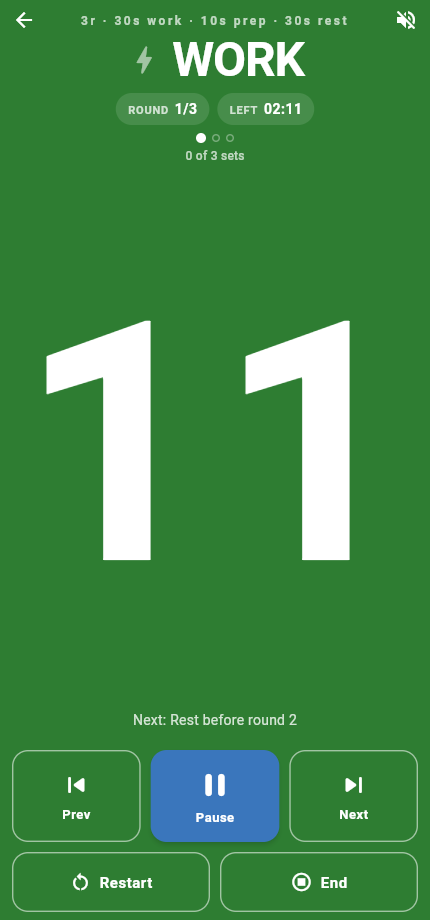
Food and calories
Plan your food and tick off what you ate, and it adds up your calories and macros for the day. Add anything extra, scan a barcode, or let AI estimate the calories from a photo.
Track more than one person too, like a child or partner, each with their own food, water and weight. Share a person with a friend so you both co-own it and can log for them.
Docs with screenshots › The Crew ›Snap a photo
Take a photo of your meal and AI estimates the calories for you. You check the result before you log it.
Docs with screenshots ›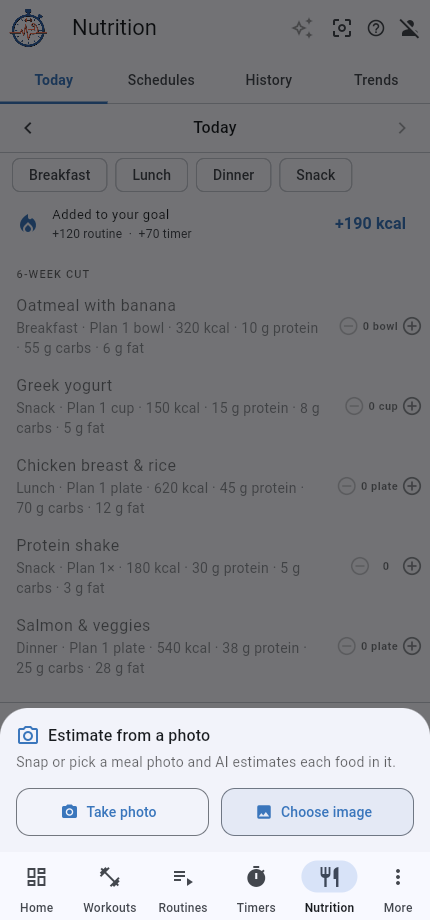
Weight and mood
Log your body weight, and set your mood for the day in one tap. Both line up next to your training and food, so you can see patterns over the weeks.
Weight › Mood ›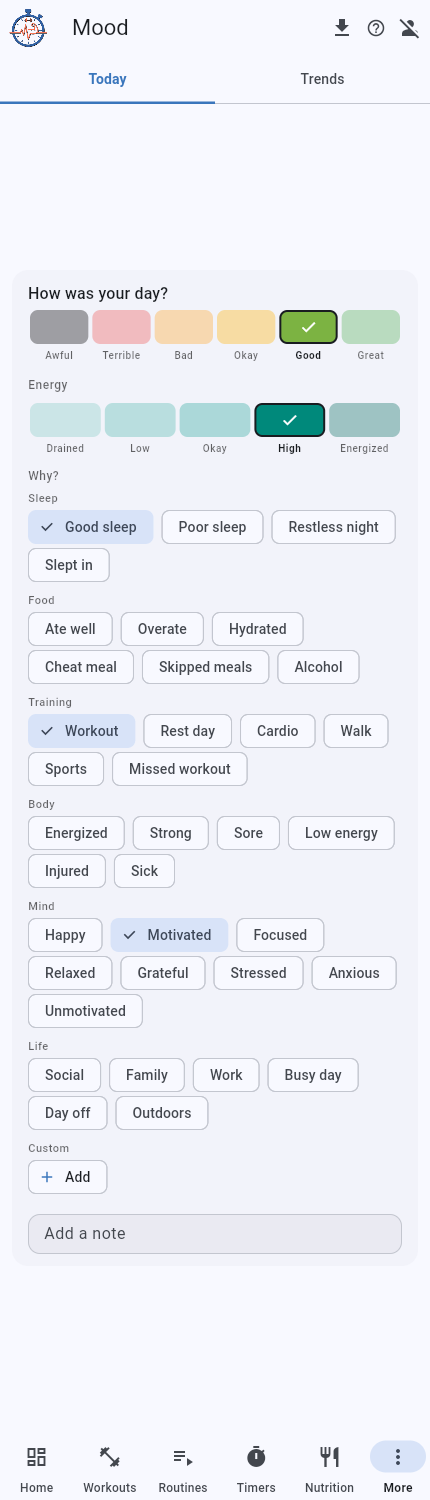
Optional AI
An optional coach reads your week back from your own logs, with what went well and what to try next. It can draft a workout program or a meal plan, and it stays off unless you ask.
Docs with screenshots ›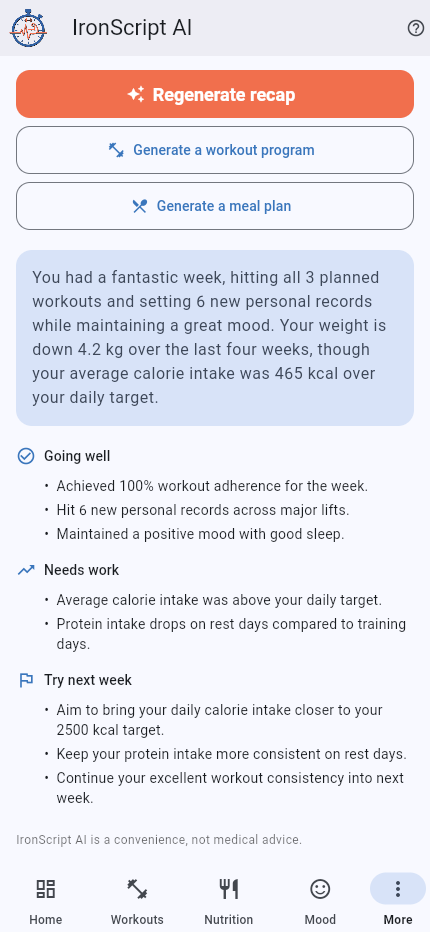
Share and follow
Share a workout or routine as a link, or privately to someone's account. Turn on a public profile so people can find you and follow your shared workouts.
Docs with screenshots ›